

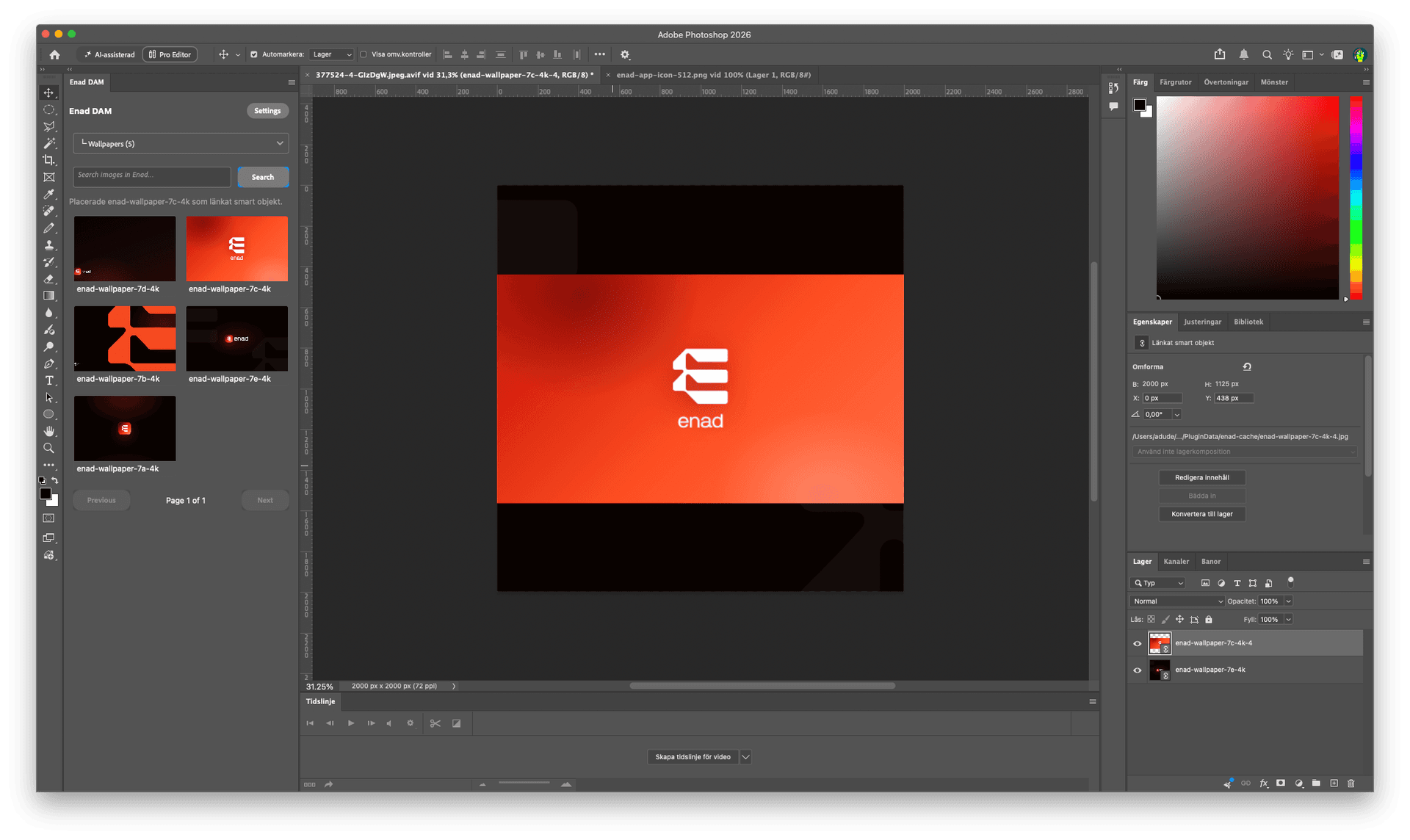
The asset library in Enad is where the team keeps product images, campaign images and other files. With the new plugins, anyone working in Photoshop or InDesign reaches the same files without leaving the app.
What the plugins do
- Browse and search. Browse the library's folders or search by filename, title and alt text.
- Place with one click. The image is placed straight into the document. In Photoshop it becomes a linked smart object with its original filename.
- Update when the image changes. If the image has changed in Enad, update it in the document with one button.
So there is no downloading, renaming and relinking files by hand when someone has swapped an image.
Getting started
- Install the plugin from Adobe Exchange: Enad DAM for Photoshop and Enad DAM for InDesign.
- Get an API key from Enad.
- Enter the key in the plugin.
The plugins are included in Enad at no extra cost. Supported versions of Photoshop and InDesign are listed on each plugin's page on Adobe Exchange.
Read more about the asset library in Enad.